
A renewal client's equity snapshot is never more than a click away, and it tells you whether the conversation is just a renewal or a renewal plus a refinance/debt-consolidation opportunity.
Where To Find It
- Sort the list by equity. Open Filters and pick Equity (high) or Equity (low) under Sort by, so your highest-equity renewals float to the top. See Filtering And Sorting The Renewals List.
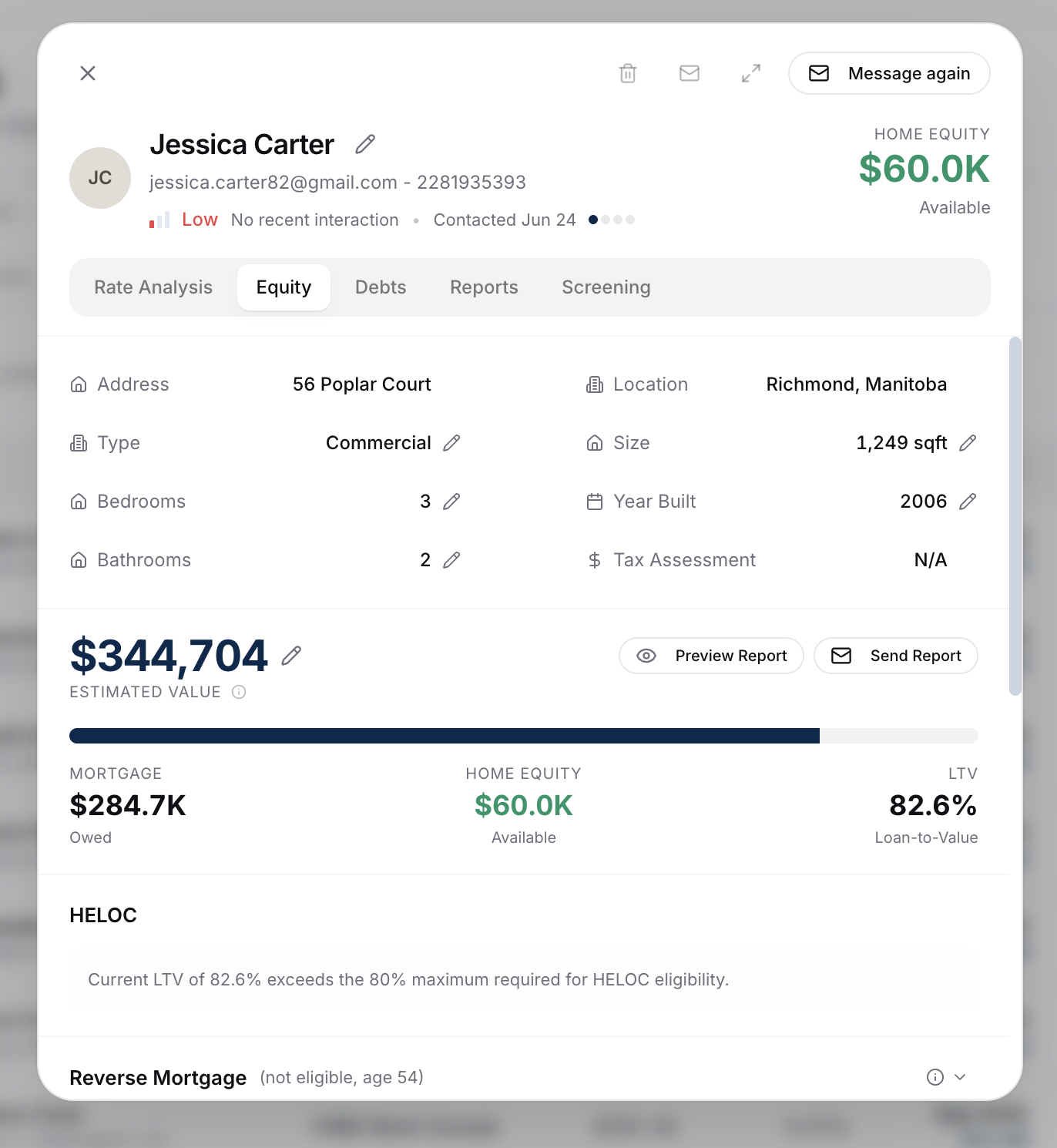
- Open a client's Equity tab. Click into any row and switch to the Equity tab for the full snapshot.
What The Snapshot Value Represents
It's the estimated current equity in the client's subject property: estimated value minus current mortgage balance. The value comes from a blend of several AVMs. Full math: How Equity Is Calculated.
Using It In A Renewal Conversation
The renewal conversation usually starts as "what's my new rate?" - but equity often unlocks a much bigger discussion:
- High equity → consider proposing a debt consolidation refinance alongside the renewal. The client renews their primary mortgage at a competitive rate AND consolidates high-interest debt at the same time.
- High equity → discuss accessing equity via a HELOC at renewal. The renewal is the natural moment to layer one on.
- Modest equity → focus on rate and term competitiveness.
That Equity tab breaks the snapshot into the full picture: value, balance, equity, LTV, HELOC scenario, reverse mortgage scenario, and any additional properties. See What The Equity Page Shows.
Refresh Cadence
AVM values refresh automatically. If you want a more accurate value for a specific property (because you know the market locally or have an appraisal in hand), use the pencil icon to set a manual override. See How Equity Is Calculated.
Adding Other Properties
If your client owns rentals, a cottage, or other properties, add them to the client profile so portfolio equity is accurate. This often changes the conversation entirely - a client with $200K of subject-property equity might have $900K across their portfolio. See Adding Additional Properties and Portfolio Equity.
What To Do Next
- Drill into the full equity picture: What The Equity Page Shows.
- Capture the rest of the client's portfolio: Adding Additional Properties.
- Add debts to surface the consolidation opportunity: Adding Client Debts.