
The renewals list is sorted by months to maturity. The closer a client is to maturity, the more urgent they are - and the more leverage you have to lock something in.
What Each Bucket Signals
While there are no hard bucket labels in the UI, the auto outreach drip cadence gives you the natural buckets to think in. By default the drip fires at these milestones:
- 12 months out - first heads-up. Plenty of runway. Soft pitch, "let's start the conversation."
- 7 months out - most lenders open renewal offers here. Sharper pitch, "let's compare what your current lender is offering vs the market."
- 3 months out - decision window. Most clients sign here.
- 1 month out - last call. If you haven't won the renewal, the incumbent likely has.
These months are just the defaults. You can customize the sequence under Settings → Outreach Settings (below the renewal auto-outreach toggle): add or remove month steps, anywhere from 1 to 24 months before maturity. Timing is always driven off each client's maturity date, so whatever months you pick, the drip counts backward from when their term ends.
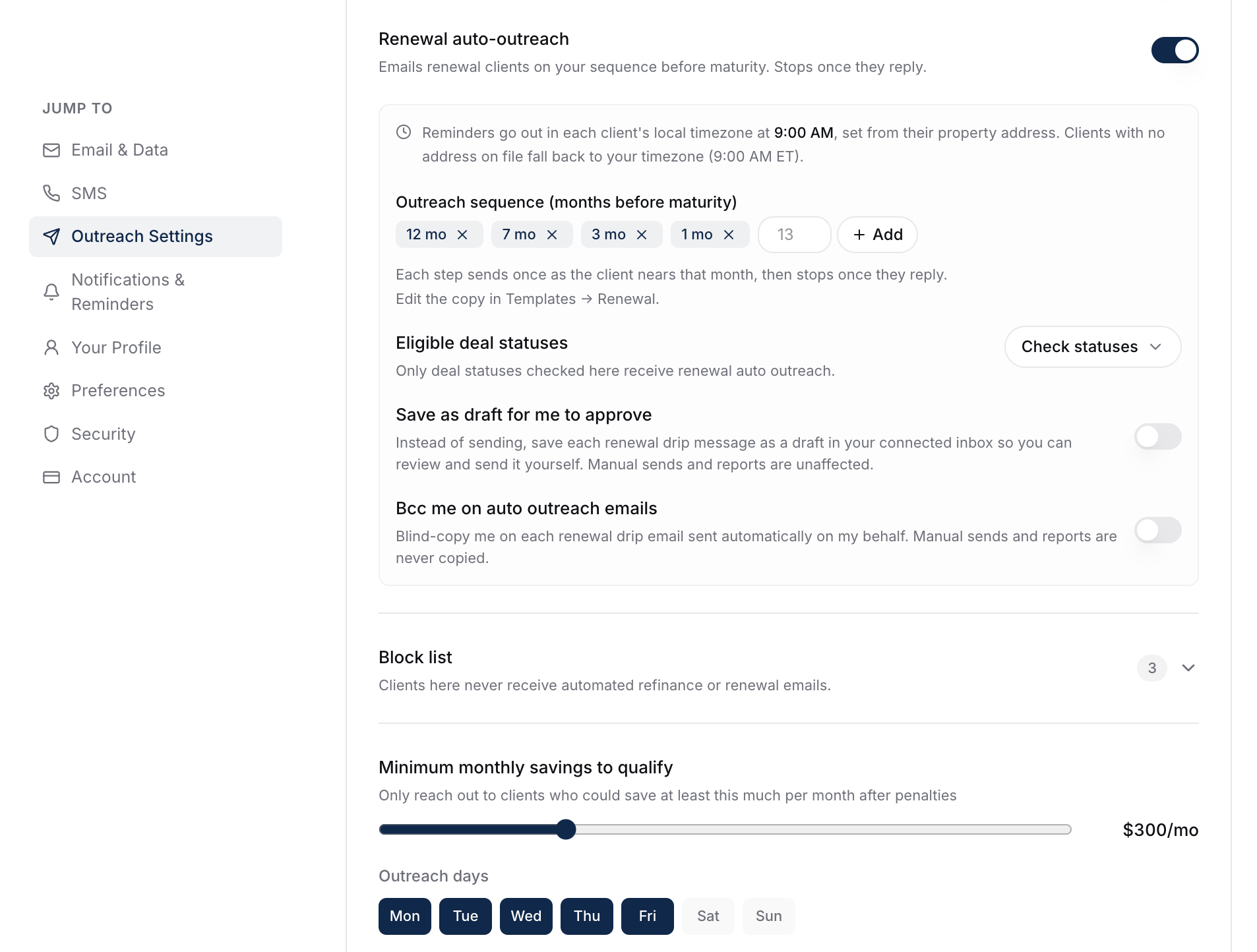
Auto outreach will hit each milestone you've set if you've enabled it. See How Renewal Auto Outreach Works (The Drip).
Sorting And Filtering
The default sort is months to maturity ascending (most urgent first). You can re-sort and filter the same way as the refinance list - see Filtering And Sorting The Renewals List.
When Manual Outreach Makes Sense
Even with the drip on, you'll want to manually touch:
- High-engagement clients at any point in the timeline.
- Clients at 8-10 months if you want to get ahead of the drip and stay top of mind.
- Clients with high-equity opportunities (refinance + renewal combined pitch).
Set a custom maturity-month alert at, say, 10 months to flag these before the drip even starts.
What To Do Next
- Set custom alerts: Setting Up Custom Maturity-Month Alerts.
- Enable the drip: How Renewal Auto Outreach Works (The Drip).