
The auto outreach drip fires at the milestones in your configured renewal sequence (12, 7, 3, and 1 months by default). But if you want a personal heads-up at a month that isn't one of your drip steps - say 10 months, or 6 months, or some month in between - set a custom alert.
Why Set A Custom Alert
- Get ahead of the drip. A 10-month alert lets you personally reach out before the 7-month milestone email goes.
- Match your sales cadence. If you always like to start renewal conversations at 8 months, set an 8-month alert.
- Backstop a specific deal. Set an alert on a high-value renewal so it doesn't slip through the cracks.
Setting The Alert
- Go to Settings.
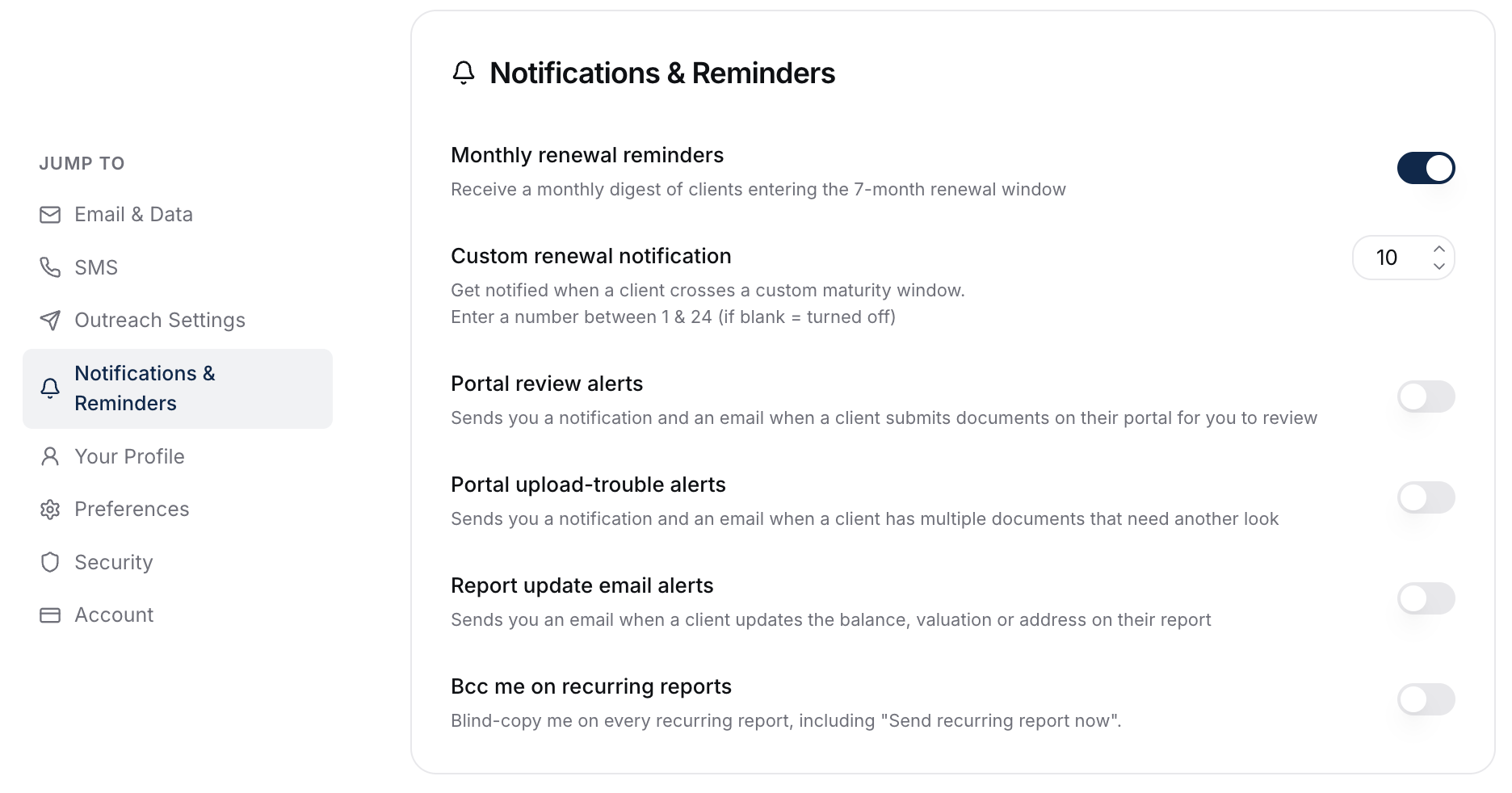
- Find the Notifications & Reminders card.
- In Custom renewal notification, enter the month count (any whole number between 1 and 24).
It saves automatically as you type, with a Saved confirmation at the bottom of the screen. One custom threshold is active at a time.
What The Notification Looks Like
When any client in your book hits the chosen month-to-maturity, you get a notification in the bell icon. Click through to land on that client directly.
See Notifications You'll Receive for everything that can fire a notification.
Editing Or Removing An Alert
Same Settings card:
- Change the month count to move the threshold.
- Clear the field to turn the alert off.
Changes apply immediately. Existing notifications already fired aren't affected.
What To Do Next
- Pair custom alerts with the auto outreach drip for full coverage: How Renewal Auto Outreach Works (The Drip).
- When a notification fires, jump straight to sending: Sending A Renewal Email.