
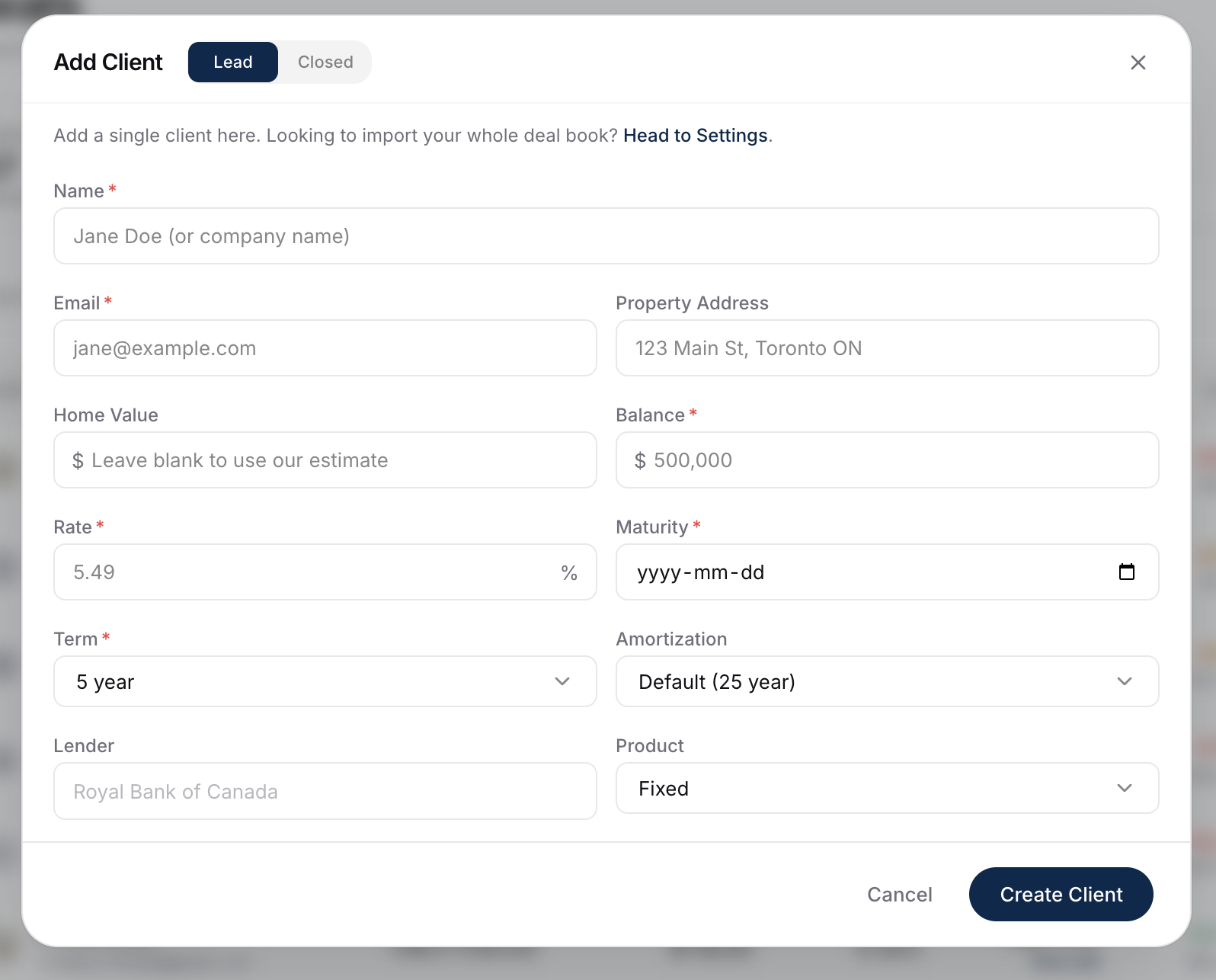
You'll find the + Add Client button at the top of the Renewals page. Use it to add a closed renewal client you want to track. To track a prospect who isn't a client yet, use the + Add Lead button on the Leads page instead - see What Leads Does.
When To Use Add Client
- A referral whose renewal is in the next few months.
- A client you met at an event who's a candidate for switching at renewal.
- Anyone you don't want to bulk-import but want to keep in front of you.
For a batch of clients, use Importing Your Book Of Business instead. For a prospect who isn't a closed client yet, use the Add Lead button on the Leads page.
What's Required For A Renewal Client
For someone to show up on Renewals (not Refinance), the maturity date is the critical field.
Required:
- Client name
- Property address
- Original mortgage amount (the funded loan amount at origination - we estimate today's balance for you)
- Current rate
- Term
- Maturity date ← key for showing up on Renewals
Optional but valuable:
- Lender (leave it blank if you don't have it yet).
- Account ID (the lender's mortgage or loan account number - imported clients already carry it; enter it here for clients you add by hand, and it shows on the client and in your export).
- Home value (blank uses our estimate).
- Amortization (defaults to 25 years).
Starting From An Existing Client's Property
You don't always have to start from a blank form. In a client's equity section, each additional property card has an icon that pulls that property out into its own deal. Clicking it opens this form with the client's name, email, property address, original mortgage amount, and rate already filled in - you just add the maturity date, term, lender, and product.
Confirming They Show Up
Once you save, the client lands on the Renewals page sorted by months-to-maturity. If they're 12 or more months out, they may sit on Refinance instead - see How Candidates Are Detected.
What To Do Next
- The Add Client button is the same on Refinance: Adding A Client Manually.
- Tracking a prospect who isn't a closed client yet? Use Add Lead on the Leads page: What Leads Does.
- Once they're on your list, work them like any other renewal: Sending A Renewal Email.